Base package
The right people.
The right access.
Organize your team with roles, permissions and working hours.
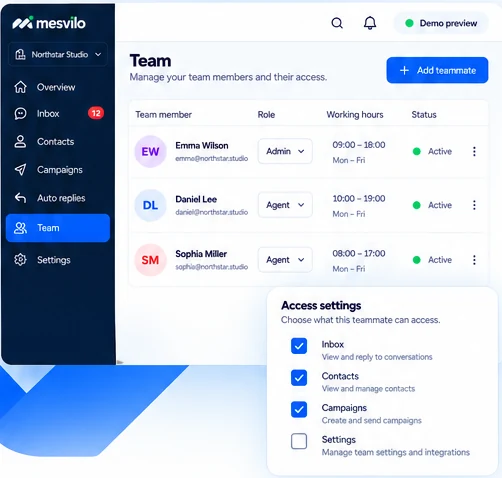
Invite your team
Add teammates and get everyone on the same page.
Set clear permissions
Control what each teammate can access based on their role.
Define working hours
Set working hours so messages are handled at the right time.
How it works
Set up your team in three simple steps.
Get your team ready in minutes and keep everyone aligned.
-
1
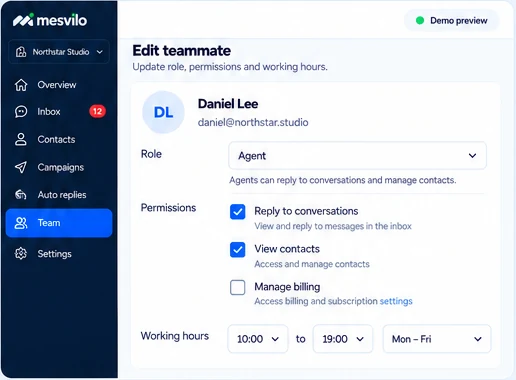
Add a teammate
Invite your team member with their email address.
-
2
Choose their role
Assign a role and set the right permissions.
-
3
Set working hours
Define when they’re available to handle conversations.
Frequently asked questions
Can each teammate have different access?
Assign roles and adjust permissions.
Are working hours configurable?
Define working hours for your team.
Still have questions? Contact our team →