Base package
Start in English.
Make it your language.
Adapt the interface with language files and keep translations organized.
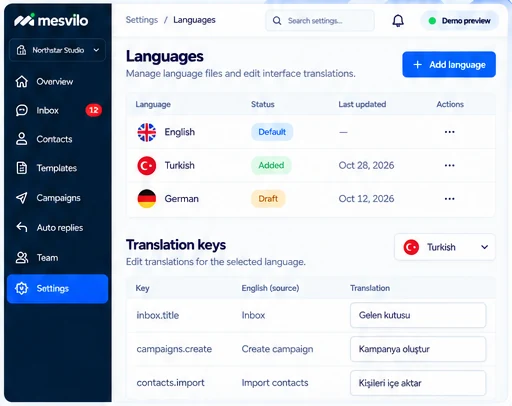
English by default
The interface is ready to use in English from day one.
Extend with language files
Add new languages using simple language files.
Organized translation keys
Keep all interface text in one place and easy to manage.
How it works
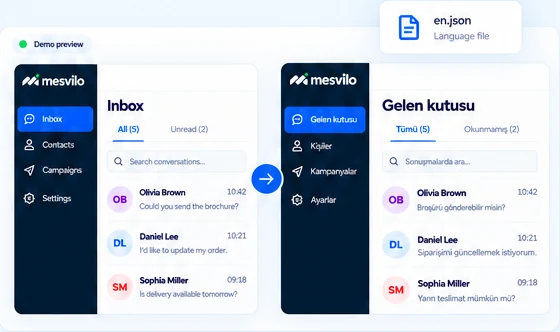
Make it your language in three steps.
Add and manage your translations with a simple process.
-
1
Choose a language
Start with English or add a new language file.
-
2
Add your translations
Translate the interface text using clear keys.
-
3
Preview the interface
See your translations in the interface.
Frequently asked questions
Which language is included by default?
English is the starting language.
Can I add another language?
Extend the interface using language files.
Still have questions? Contact our team →