Base package
Plan your message.
See what happens next.
Build WhatsApp campaigns, schedule delivery and follow message outcomes in one place.
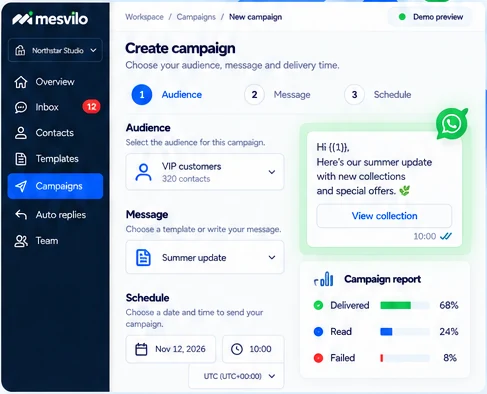
Choose a precise audience
Send campaigns to the right contacts using your saved segments or imported lists.
Schedule and control send rate
Pick a delivery time and manage how fast messages are sent to keep everything on track.
Inspect delivery and error details
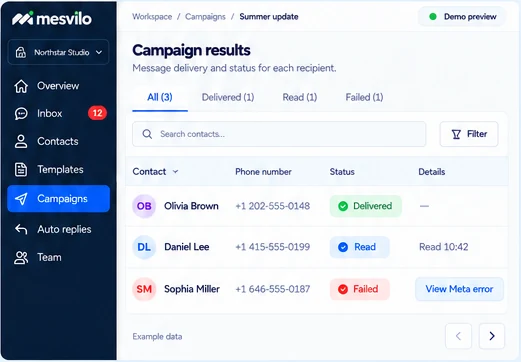
See delivered, read and failed statuses, and view available Meta error codes for failed messages.
How it works
From a campaign idea to clear results.
Send WhatsApp campaigns in a few simple steps and see how they perform.
-
1
Select audience and template
Choose your contacts and the WhatsApp template or pre-approved message.
-
2
Review timing and variables
Set the delivery date and time, and confirm your message variables.
-
3
Track campaign results
See message statuses and inspect delivery details, including Meta error codes when available.
Frequently asked questions
Can I schedule a campaign?
Choose a delivery time and review it before sending.
Can I see why a message failed?
Inspect available delivery details and Meta error codes.
Still have questions? Contact our team →