
Base package
A useful reply,
even when you are away.
Set up keyword replies, business-hour messages and simple button menus.
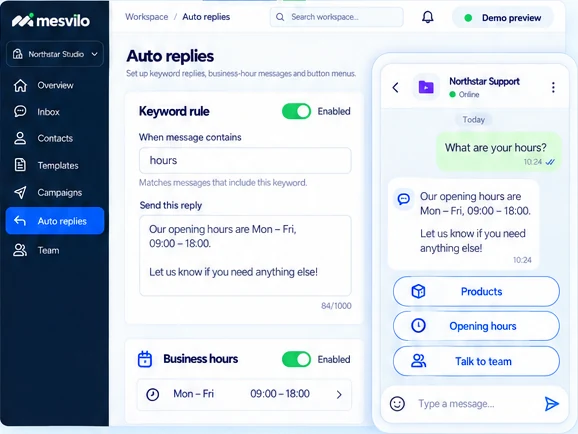
Keyword-based answers
Respond instantly when people mention specific keywords, like “hours” or “pricing”.
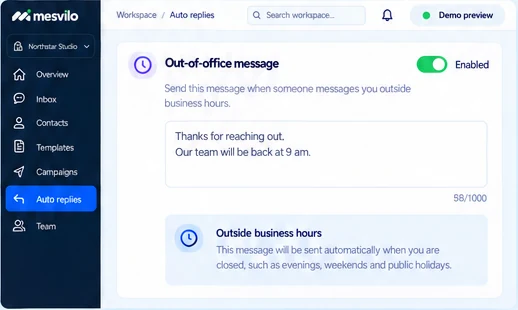
Out-of-office messages
Set a friendly message outside your business hours, so people always get a helpful reply.
Simple buttons and lists
Add up to three reply buttons or a list menu to guide people to what they need.
How it works
Set up auto-replies in three simple steps.
Get useful replies live in minutes. No coding needed.
-
1
Choose the trigger
Set a keyword or choose outside business hours.
-
2
Write the response
Type your message and add buttons or a list if needed.
-
3
Test and enable
Preview your reply and switch it on when you’re ready.
Frequently asked questions
Is this an AI agent?
These are simple rules and prepared responses.
Can I create a menu?
Use supported buttons and list menus.
Still have questions? Contact our team →

Keep the conversation moving.
Set up auto-replies today and give every message a helpful next step.