Base package
Your next message,
ready for review.
Create and sync WhatsApp templates with clear approval status and reusable variables.
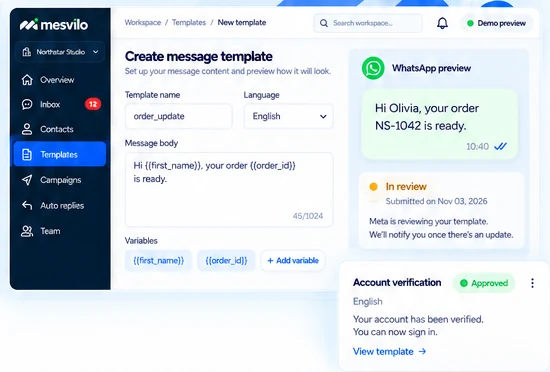
Create and sync templates
Create WhatsApp message templates and keep them organized and in sync with Meta directly from Mesvilo.
Personalize with variables
Use variables like customer names, order numbers and more. Preview sample messages before you submit.
Track Meta review status
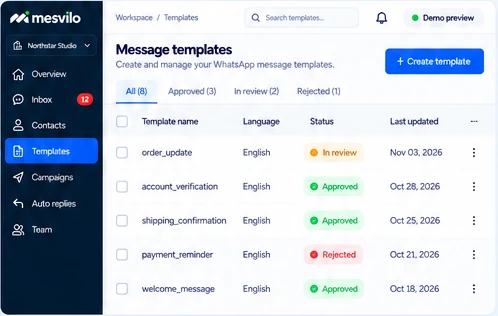
See clear approval status for every template and know when you can start using it in your conversations and campaigns.
How it works
From idea to approved message.
Create, submit and start using WhatsApp templates in just a few steps.
-
1
Write your template
Add a name, choose a language and write your message with variables.
-
2
Submit for review
Send your template to Meta for review and track its status in Mesvilo.
-
3
Use approved messages
Once approved, you can use the template in conversations, campaigns and auto replies.
Frequently asked questions
Who reviews templates?
Meta reviews submitted message templates.
Can I personalize the message?
Add variables and preview sample values.
Still have questions? Contact our team →